# How to Edit footer After Importing ?
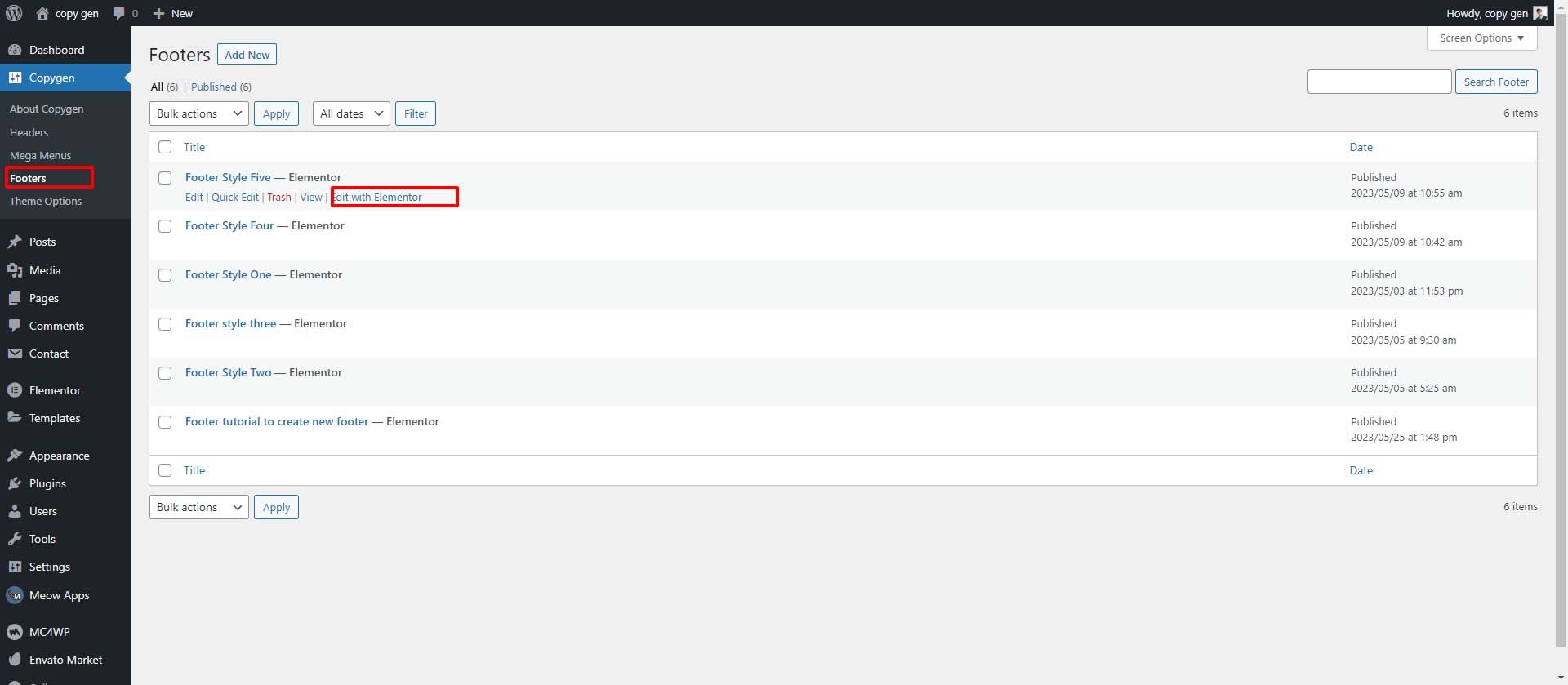
- On your Wordpress Dashboard ==> go to Copygen ==> Footer ==> Choose the Footer style and Click Edit with elementor
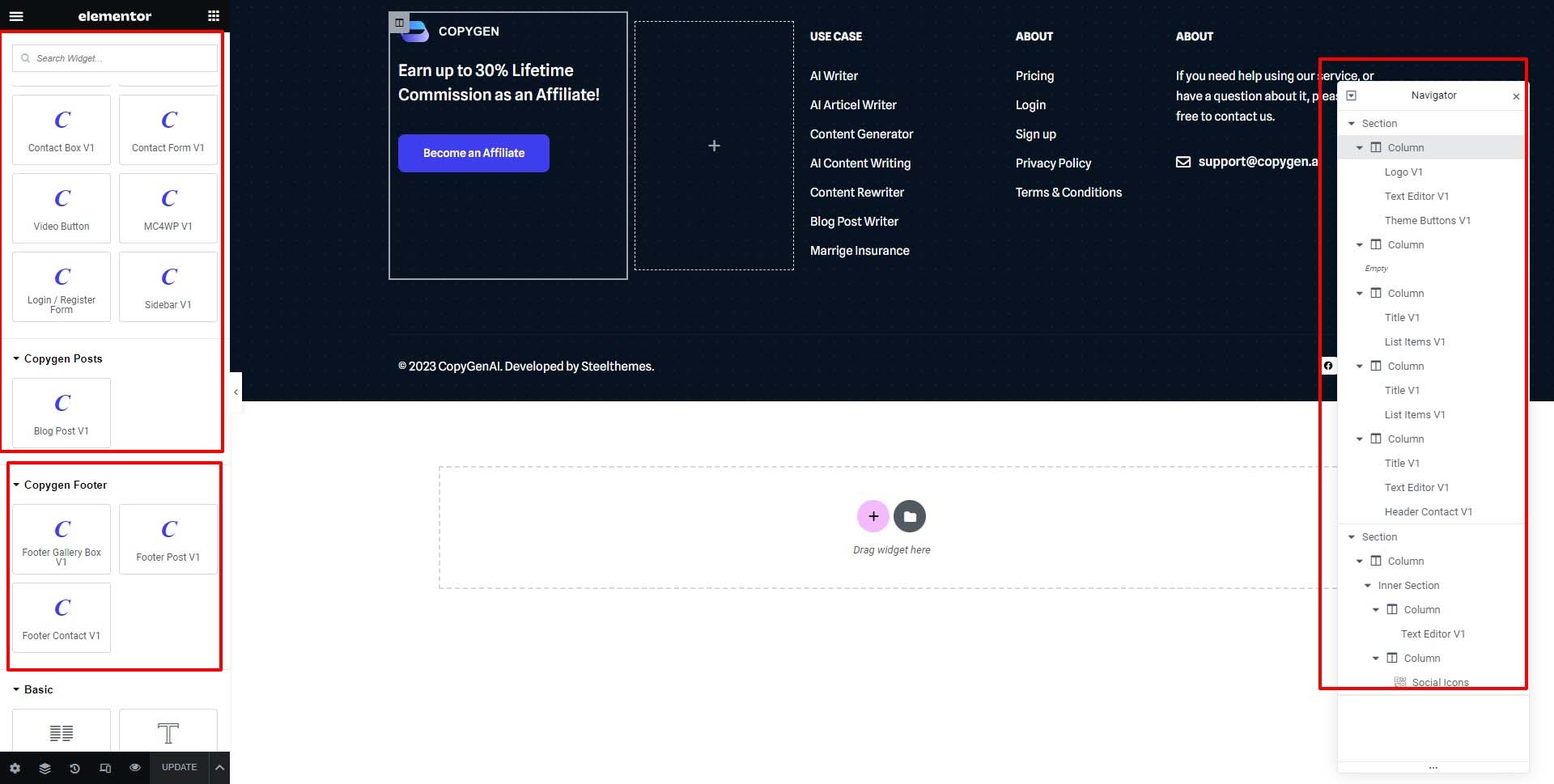
- It will take to Footer elementor editor area there you can change the content there
# How to display footer for entire site ?
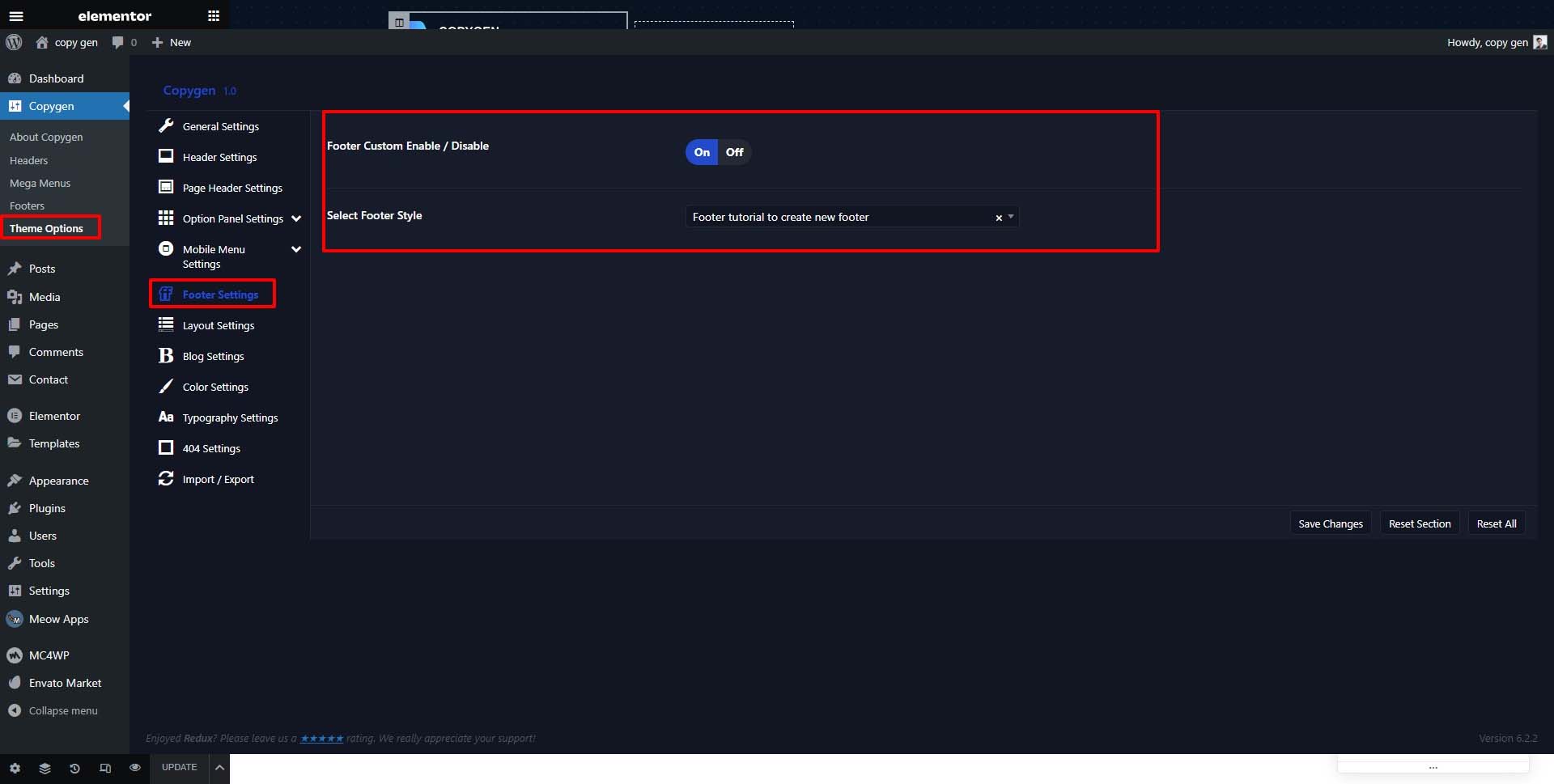
- After Creating the footer post then go to admin dashboard -> copygen -> themeoption -> footer settings -> enable the Footer Custom Enable / Disable -> the select the footer style
# How to change footer for particular page or post ?
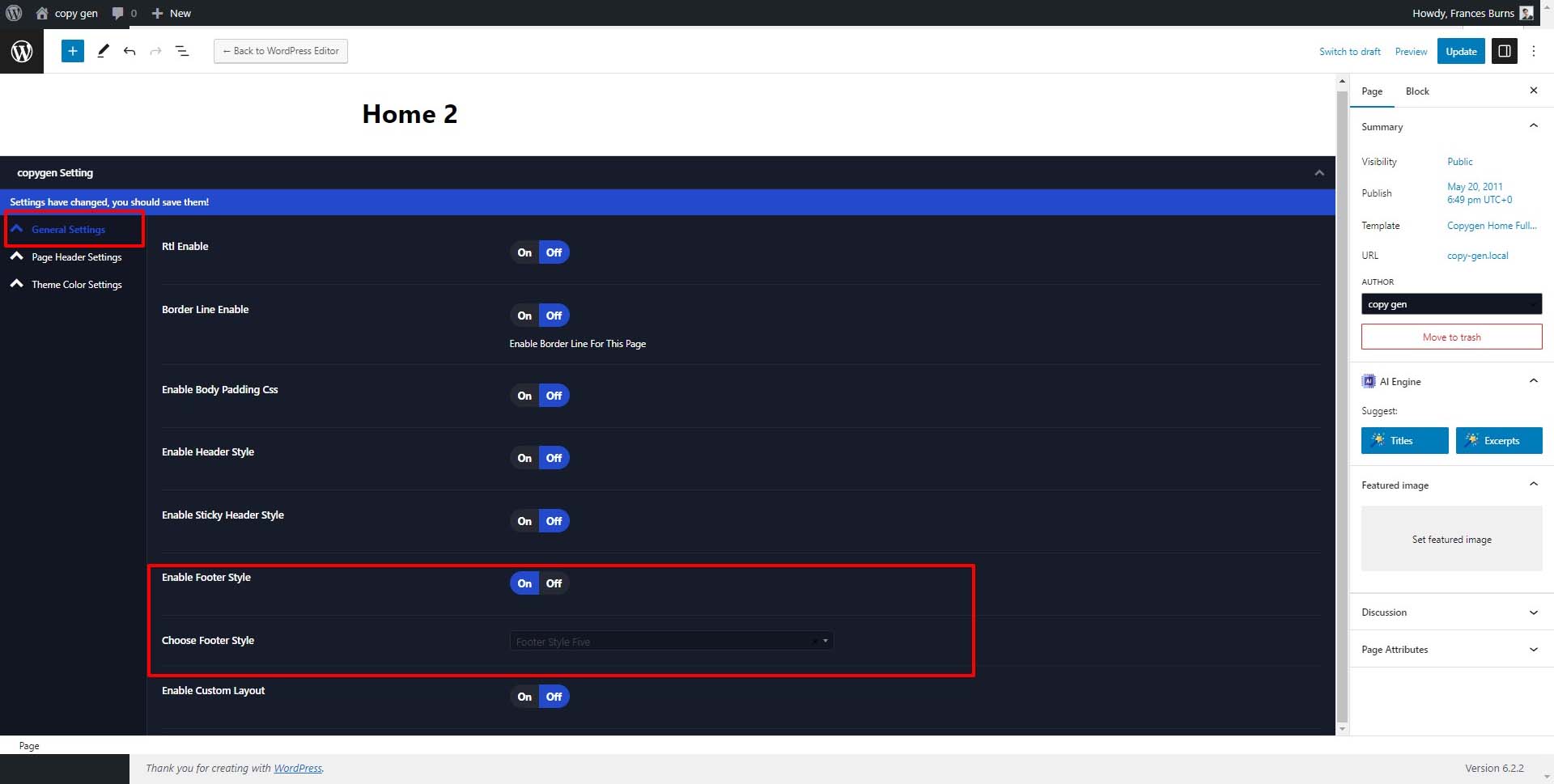
- Edit the page or post => Scroll down ==> You will find general Settings tab.
- Enable Footer Style => Choose Footer Style => here you can change the footer style